Tiled terminals · markdown · one window

A command center for a
fleet of coding agents.

Claude Code, Codex, Gemini — tiled in one window, smooth enough to forget they're running.

MIT · open source / Windows first / macOS & Linux soon
Lume ~/projects/auth
✻ Claude Codewsl · ~/projects/auth
Claude Code · opus 4.8
> wire the session refresh flow
 
Update(src/auth/session.ts)
+ import { tokenStore } from "./tokenStore"
- localStorage.getItem("session")
▌ Codexpwsh
add the migration script
Editing migrate.ts
npm run build
✓ built in 3.2s
✦ Geminiwsl
review the diff
3 files · +84 −12
thinking…
pwsh·~/projects/auth 3 panes·3 agents live

01 Smoothness

It doesn't tear under load.

Bytes stream Rust → renderer, never through the UI state. Flood every pane — typing still lands first.
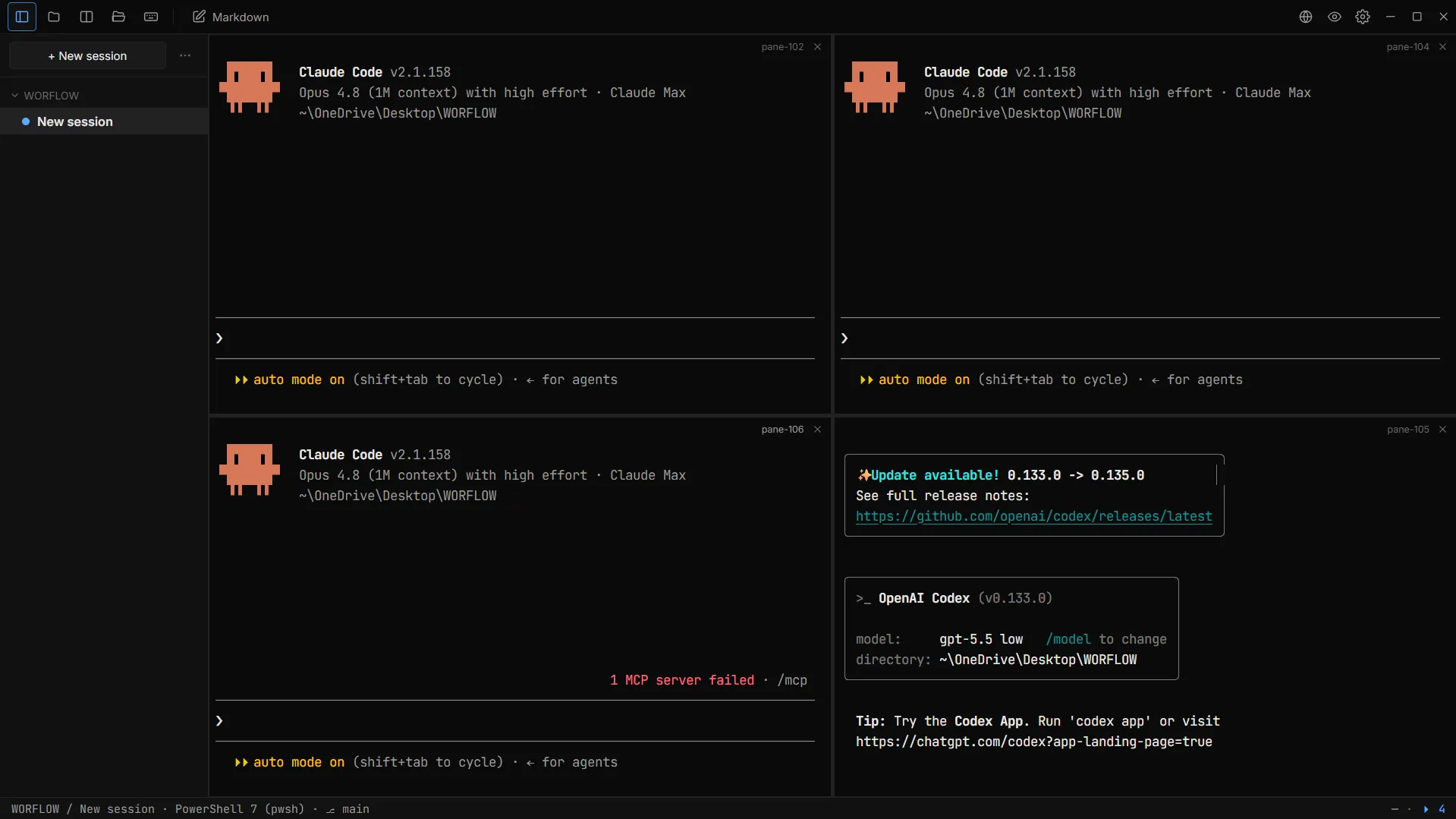
Lume running four tiled Claude Code and OpenAI Codex agent sessions at once
The real app, untouched — four agents live at once, auto mode on, not a dropped frame.
Acceptance test · four concurrent agents

Built to pass the 2am test.

Three agents streaming, a release build, you typing through all of it — at once. No tearing.

<30ms
typing latency
32ms
ipc batch window
<500MB
memory, 4 panes
<2s
cold start
Motion

One curve, everywhere.

Every motion on the same ease-out. cubic-bezier(.16, 1, .3, 1) — fast in, long settle. This page runs on it too.

Renderer

WebGL terminals, real PTYs.

xterm.js on WebGL, fed by portable-pty. 8 MB ring buffer per pane.


02 Tiling

Split without the seams.

One pane becomes many. Every pane keeps streaming; nothing reflows with a jolt. Scroll — you're driving.

Ctrl+Alt+→split right
Ctrl+Alt+↓split down
Lume~/projects/auth
✻ Claude Code~/auth
wire up the refresh flow
Update(tokenStore.ts)
+ async refresh()
▌ Codexbuild
npm run dev
➜ local: 5173
✓ ready in 240ms
✦ Gemini~/auth
review the changes
3 files · +84 −12

03 Markdown

Read what they write.

Agents think in markdown. Lume renders it beside your panes — watch a plan take shape as it's written, then watch it get done.

PLAN.md agent writing…
edit · raw
view · rendered
In the app: Ctrl+Click any file path to open it · Ctrl+E to edit · Ctrl+Shift+M for the Quick Viewer.

04 Keyboard-first

Your hands never leave home row.

Every action has a key. Rebind any of them in config.toml. The window on the right obeys them — try it.

Split right / up / downCtrlAlt
Move focus between panesCtrl
Toggle markdown editorCtrlE
Toggle Quick ViewerCtrlShiftM
Toggle sidebarCtrlB
Close focused paneCtrlW
Copy / paste in a terminalCtrlShiftC
Keyboard shortcuts viewerCtrl?
Lumedemo
✻ Claude
working…
▌ Codex
npm run dev
✦ Gemini
reviewing
Hover the window — Ctrl+Alt+→, Ctrl+Alt+↓, Ctrl+→, Ctrl+B are live. (Ctrl+W stays your tab's.)

05 Themes

Four palettes. One aesthetic.

Dark, always. Same geometry and motion — only the colour shifts. Click one: the whole page re-themes, live terminals included.

Lume
Cobaltdefault
Lume
Coral
Lume
Tokyo Night
Lume
Gruvbox
Click a palette to re-theme the whole page live — the hero terminals follow.
Shell
Tauri v2 · Rust + WebView2
Terminals
xterm.js · WebGL
License
MIT · open source
Platforms
Windows · mac/linux soon
$ 

Open the command center.

Clone it, build it, make it yours. Built by a builder, for builders.

$ git clone https://github.com/rithwik1510/Workflow